For the best streaming experience, we suggest a minimum internet speed of 100 Mbps.
How to Setup iPTV on your Devices
- What is IBO Player?IBO Player is an IPTV media player app.Important to know:➡️ IBO Player does NOT provide TV channels, movies, or series.It is only a player that plays IPTV playlists provided by an IPTV service.⸻Where can you use IBO Player?IBO Player is available on:•Smart TVs (Samsung, LG)•Android TV•Amazon Fire TV•Android devices⸻What do you need to use it?1.IBO Player app installed on your TV or device2.An IPTV subscription from a provider(usually an M3U link or Xtream Codes)3.Internet connection⸻How does IBO Player work? (Step by step)1. Install the app•Open the app store on your TV•Search for IBO Player•Install and open the appWhen you open it, you will see:•MAC Address•Device Key⸻2. Add your IPTV playlist (via website)Playlists are added through the IBO Player website, not directly in the app.1.Go to:https://iboplayer.com/device2.Enter:•MAC Address•Device Key3.Add your IPTV details:•M3U URL + playlist nameor•Xtream Codes (server URL, username, password)Click Save / Upload.⸻3. Restart the app•Close IBO Player on your TV•Open it again➡️ Your channels, movies, and series will now load.⸻What can you do with IBO Player?•Watch Live TV•Watch Movies & Series (VOD)•Use EPG (TV Guide)•Add favorites•Subtitles (if available)•Use multiple playlists⸻Is IBO Player free?•Usually comes with a 7-day free trial•After that, a one-time activation fee is required(no monthly subscription, per device)
life time subscription is €10⚠️ This is separate from your IPTV subscription.

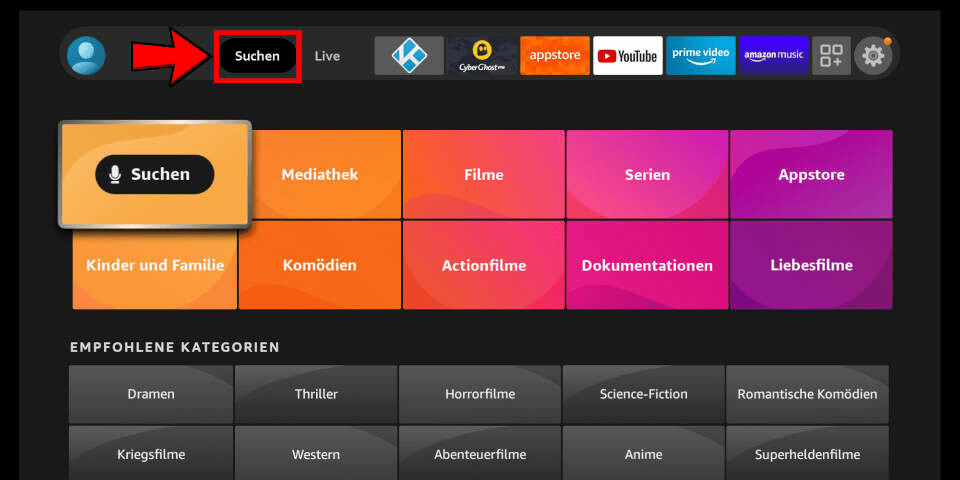
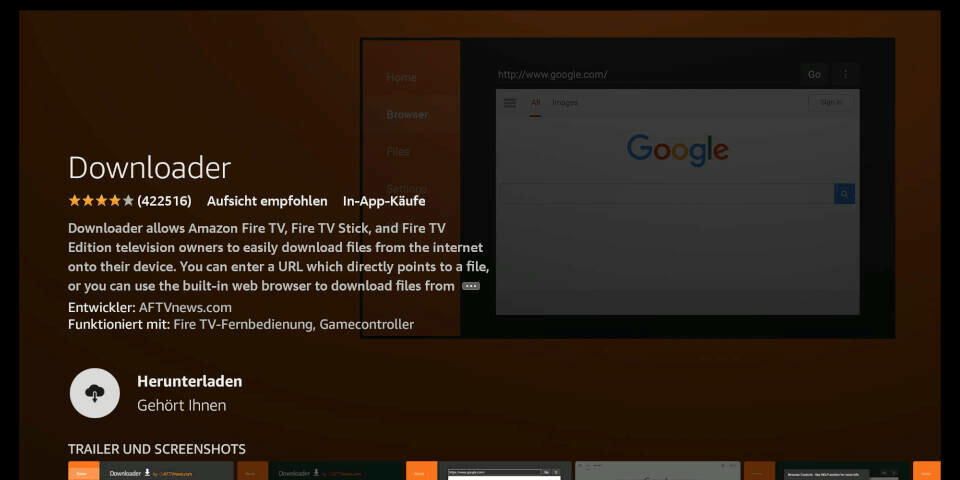
1) In the Android TV or Fire TV main menu, navigate to the “Search” entry and select the “Search” tile.
PLEASE NOTE: These are third party apps that are needed to stream content from our servers. You may also try searching “IPTV” in the app store, there are many different options. Most require a lifetime subscription of about €10.
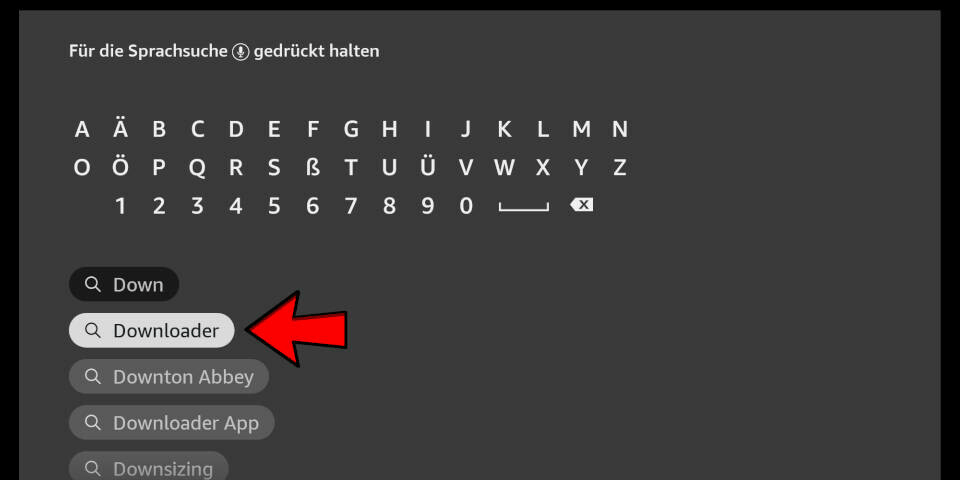
2) Enter the first letters of the word “Downloader” as a search term and select the corresponding search result using the arrow keys and the enter key on your remote control.
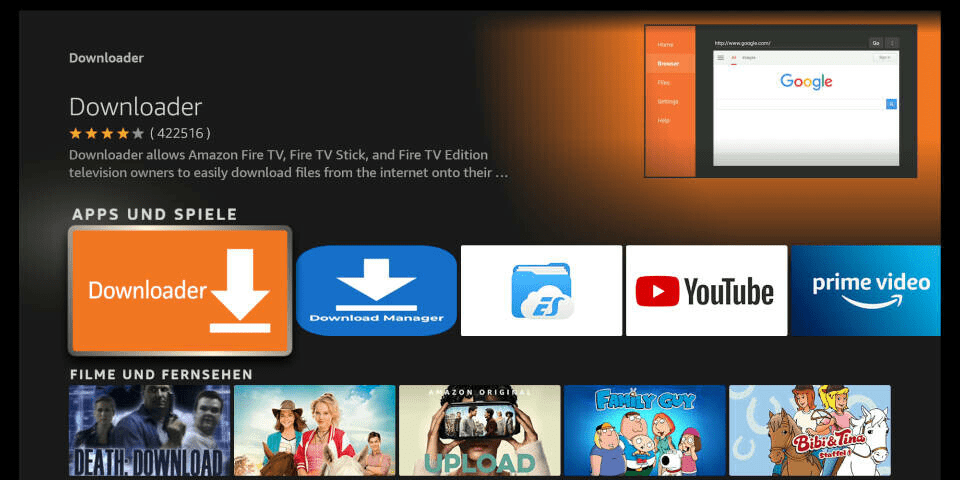
3) Open the entry for the Fire TV Downloader app.
4) Press Enter on your remote control to start the installation
5) App is downloading. Open the app after installation.
6) When you start the app for the first time, you must grant the downloader access to your file system. Select the option “Allow”.
7) On the downloader’s homepage you can enter a number directly in the middle of the screen. You will receive this from us after purchase or when using a test account. Enter the number and press “Go”.
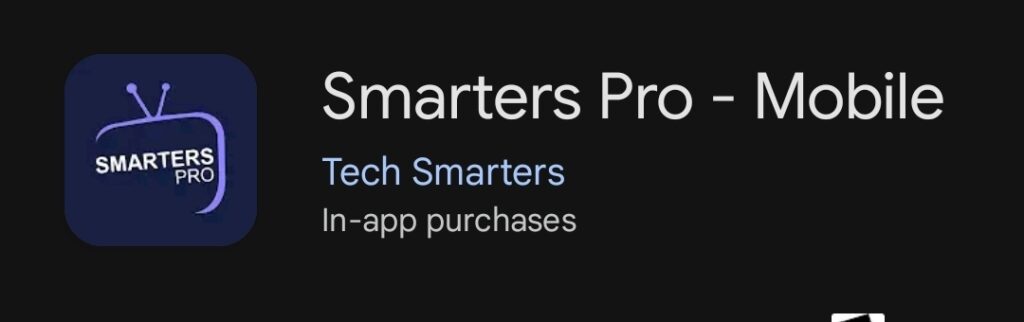
1)Download and install IPTV Smarters Pro.
PLEASE NOTE: These are third party apps. The apps are needed in order to stream our content. You can also use any IPTV player you like by simply searching “IPTV” in the app store. Some require a subscription, but usually only around $10 USD for lifetime.
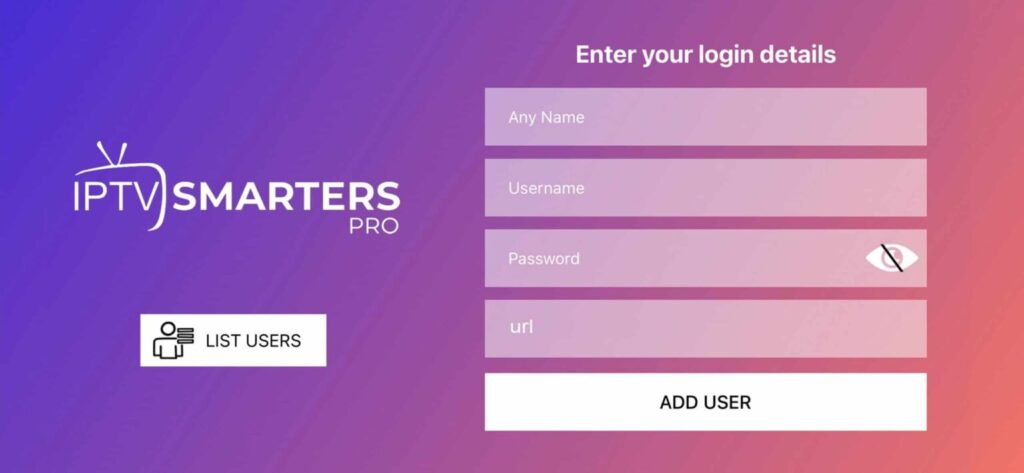
2) After that simply start and enter your login details:
1)Download, install and start Smarters.
2) After installation, simply log in with your access data (user name and password).
Media Player – Portal Setup
1.Open the app (for example, MyTV 2/3) on your media player
2.Go to Settings → Portals
3.In Portal 1 URL, which is currently empty, enter the portal (exactly as provided by your provider)
4.Save
5.Restart the app
6.Make sure your MAC address is activated with the provider
FREQUENTLY ASKED QUESTIONS
What is IPTV?
IPTV (Internet Protocol Television) delivers TV content over the internet instead of traditional cable or satellite. With IPTV, you can stream live TV, on-demand movies, and shows anytime, anywhere, using smart TVs, smartphones, streaming devices, and more!
What internet speed do I need for optimal performance?
What channels are available with your subscription?
With our subscription, you’ll unlock access to over 24,000 channels spanning sports, movies, news, and entertainment!
Can I cancel my subscription?
No, cancellation is not possible once the subscription has been activated. Since IPTV is a digital service that is delivered immediately after purchase, the right of withdrawal does not apply.
WhatsApp Support
Media Player – Portal Setup
1.Open the app (for example, MyTV 2/3) on your media player
2.Go to Settings → Portals
3.In Portal 1 URL, which is currently empty, enter the portal (exactly as provided by your provider)
4.Save
5.Restart the app
6.Make sure your MAC address is activated with the provider